LegendModifier
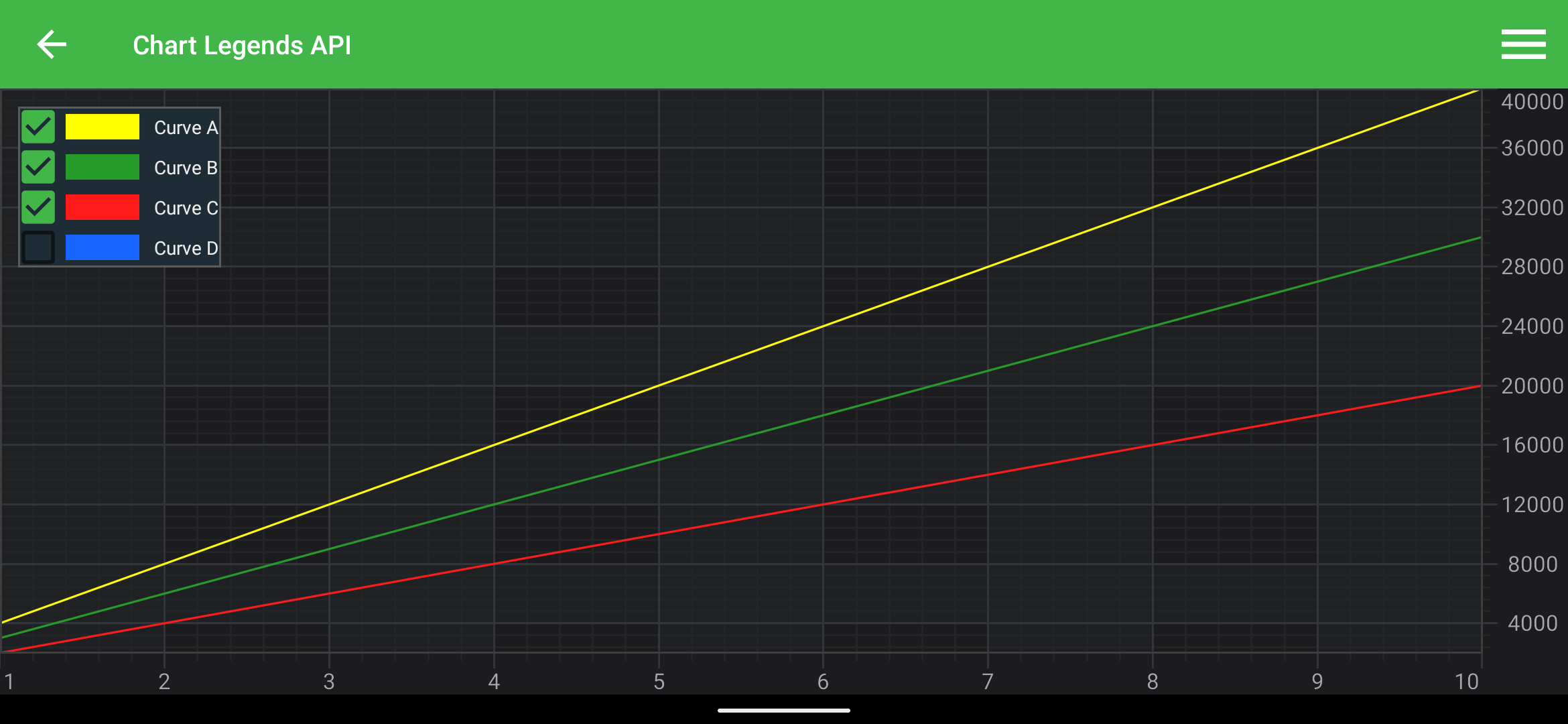
In SciChart, the easiest way to add a Legend onto a chart is to use a LegendModifier
Note
Example of the LegendModifier usage can be found in the SciChart Android Examples Suite as well as on GitHub:
The LegendModifier class exposes several configurational properties. Please find them explained in the table below:
| Feature | Description |
|---|---|
| setLegendPosition(int gravity, int leftMargin, int topMargin, int rightMargin, int bottomMargin) | Allows to specify Gravity and Margins for the Legend. |
| setOrientation(int orientation) | Determines orientation of the Legend. Can be either Horizontal or Vertical. |
| setShowLegend(boolean showLegend) | Allows to hide or show the Legend. |
| setShowCheckboxes(boolean showCheckboxes) | Determines whether to show visibility checkboxes for every RenderableSeries in the Legend or not. These allow hiding or showing their corresponding RenderableSeries. |
| setShowSeriesMarkers(boolean showSeriesMarkers) | Determines whether to show colored markers for every RenderableSeries in the Legend or not. |
| setSourceMode(SourceMode sourceMode) | Allows to specify which RenderableSeries should appear in the Legend, e.g. Visible, Selected, etc. Series. Other will be ignored by the modifier. Expects a member of the SourceMode enumeration. |
Adding the LegendModifier to a Chart
Any Chart Modifier can be added to a SciChartSurface via the chartModifiers property and LegendModifier is no difference.
LegendModifier legendModifier = new LegendModifier(getContext());
legendModifier.setLegendPosition(Gravity.TOP | Gravity.START, 16);
legendModifier.setSourceMode(SourceMode.AllSeries);
legendModifier.setOrientation(Orientation.HORIZONTAL);
surface.getChartModifiers().add(legendModifier);
Note
To learn more about features available, please visit the Chart Modifier APIs article.
Placing Legend outside the Chart
To place a Legend outside the chart you will need to:
- Declare SciChartLegend somewhere in your layout.
- Find the legend using findViewById() in code and use it to create LegendModifier instance with
useAutoPlacement = falseparameter using the LegendModifier(SciChartLegend legend, boolean useAutoPlacement) initializer.
<?xml version="1.0" encoding="utf-8"?>
<LinearLayout xmlns:android="http://schemas.android.com/apk/res/android"
    android:layout_width="match_parent"
    android:layout_height="match_parent"
    android:orientation="horizontal">
    <com.scichart.charting.visuals.legend.SciChartLegend
        android:id="@+id/legend"
        android:layout_width="wrap_content"
        android:layout_height="wrap_content"
        android:layout_gravity="top"
        android:layout_marginEnd="5dp"/>
    <com.scichart.charting.visuals.SciChartSurface
        android:id="@+id/surface"
        android:layout_width="0dp"
        android:layout_weight="1"
        android:layout_height="match_parent"/>
</LinearLayout>
final SciChartLegend legend = view.findViewById(R.id.legend);
legendModifier = new LegendModifier(legend, false);
Note
By passing false to useAutoPlacement argument you indicate that you want to place SciChartLegend instance manually, in this case - outside the Chart Surface.
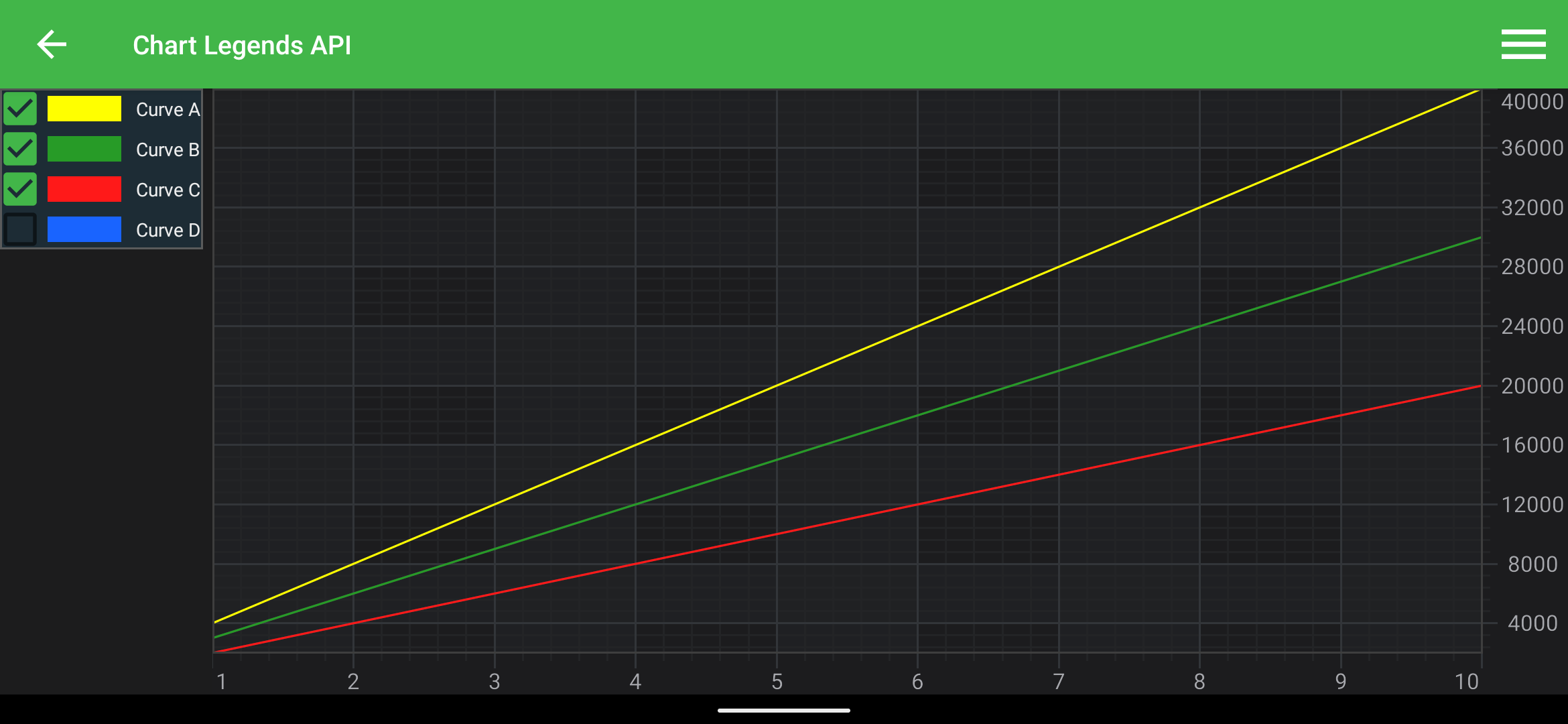
Since SciChartLegend is an Android LinearLayout under the hood, you can play with its content resizing, as you would do normally with any other LinearLayout content. So, for example, if you want to resize the legend according to the legend content you can pass wrap_content into the layout_width and layout_height properties, like this:
<com.scichart.charting.visuals.legend.SciChartLegend
    android:id="@+id/legend"
    android:layout_width="wrap_content"
    android:layout_height="wrap_content"
    android:layout_gravity="top"
    android:layout_marginEnd="5dp"/>
It will produce the following result:
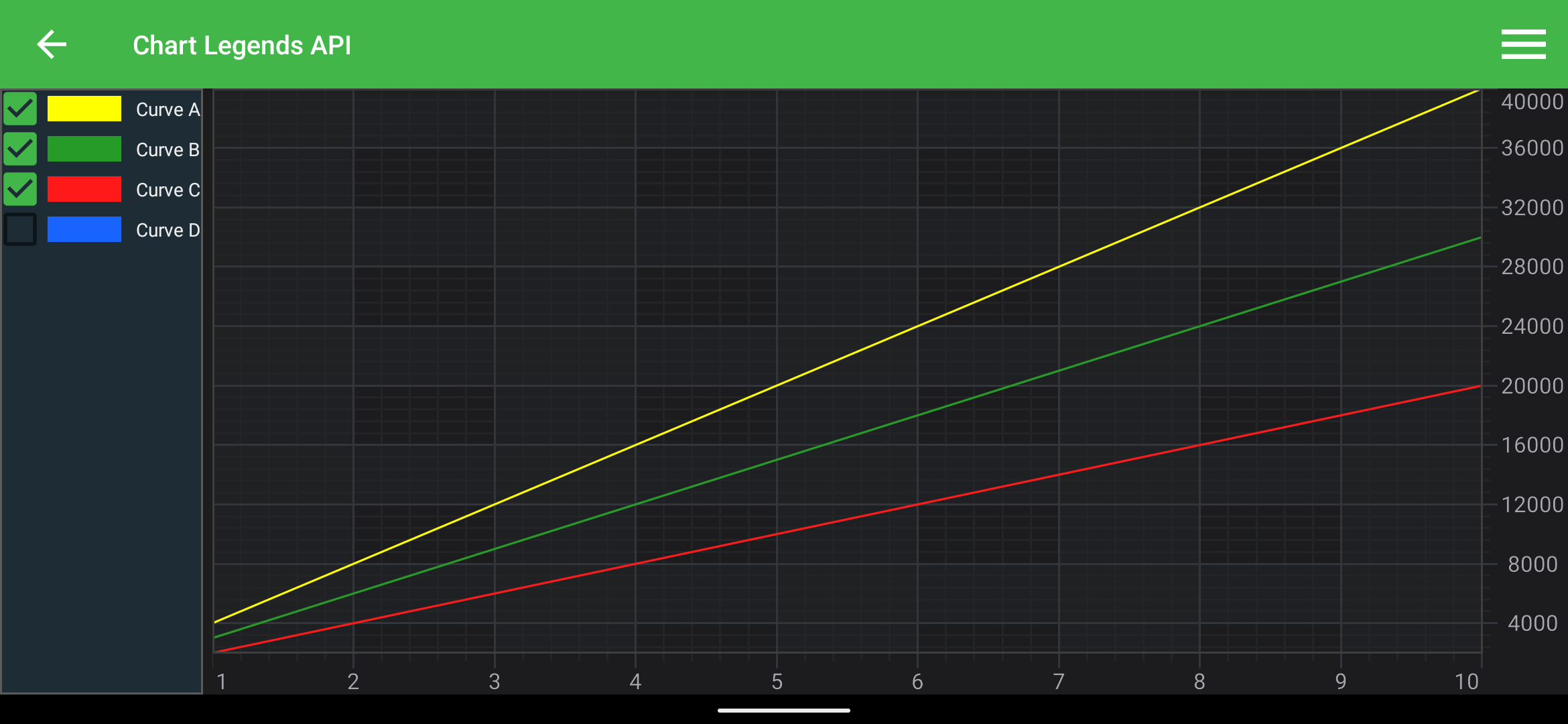
To fill all available space defined by the parent view, you can pass fill_parent into the layout_height property, like this:
<com.scichart.charting.visuals.legend.SciChartLegend
    android:id="@+id/legend"
    android:layout_width="wrap_content"
    android:layout_height="fill_parent"
    android:layout_gravity="top"
    android:layout_marginEnd="5dp"/>
It will produce the following result:
Create Legend with a custom item
To create a SciChartLegend with custom items, you will need to create a SeriesInfoLegendAdapter with custom ILegendItemsFactory. Read on to learn how to do that.
Create a Custom Legend Item
In order to create our factory, first we need to create our CustomLegendItem class. It must implement ILegendItem protocol and wrap views of your custom_legend_item.xml.
Please see a simple example below:
<?xml version="1.0" encoding="utf-8"?>
<FrameLayout xmlns:android="http://schemas.android.com/apk/res/android"
    xmlns:tools="http://schemas.android.com/tools"
    android:layout_width="wrap_content"
    android:layout_height="wrap_content"
    android:orientation="horizontal">

    <TextView
        android:id="@+id/name"
        android:background="@android:color/holo_blue_bright"
        android:layout_width="wrap_content"
        android:layout_height="wrap_content"
        android:layout_gravity="center"
        android:paddingHorizontal="10dp"
        android:paddingVertical="5dp"
        android:textSize="@dimen/legendTextSize"
        android:textStyle="bold"
        tools:text="Curve A"
        />
</FrameLayout>
class CustomLegendItem extends LegendItemBase {
    protected final TextView name;

    protected CustomLegendItem(View itemView) {
        super(itemView);

        name = (TextView) itemView.findViewById(com.scichart.charting.R.id.name);
    }

    @Override
    public void applyThemeProvider(IThemeProvider themeProvider) {
        final FontStyle legendLabelTextStyle = themeProvider.getDefaultLabelTextStyle();
        legendLabelTextStyle.initTextView(name);
    }

    @Override
    public void bindSource(Object source, SciChartLegend legend) {
        final SeriesInfo<?> seriesInfo = (SeriesInfo) source;
        name.setText(seriesInfo.seriesName);
        name.setBackgroundColor(seriesInfo.seriesColor);

        ThemeManager.applyTheme(this, legend.getTheme(), legend.getContext());
    }
}
Create a Custom Legend Items Factory
Let's create our custom ILegendItemsFactory by subclassing an abstract class DefaultLegendItemFactoryBase. Here we will override createLegendItemView(ViewGroup parent) method and our Custom Legend Item view.
Please see a simple example below:
class CustomLegendItemsFactory extends DefaultLegendItemFactoryBase {
    @Override
    protected LegendItemBase createLegendItem(View legendItemView) {
        return new CustomLegendItem(legendItemView);
    }

    @Override
    protected View createLegendItemView(ViewGroup parent) {
        return LayoutInflater.from(parent.getContext()).inflate(R.layout.custom_legend_item, null);
    }
}
Adding a Legend with CustomItem to a Chart
To add a Legend with previously created Custom Legend Item you will need to do the following:
- create SciChartLegend instance.
- create ILegendItemsFactory instance
- use the SeriesInfoLegendAdapter(ILegendItemsFactory legendItemsFactory) initializer to create a legend Adapter. Pass the legend and the factory, created in the previous steps.
- use the LegendModifier(SciChartLegend legend, SeriesInfoLegendAdapter legendAdapter, boolean useAutoPlacement) initializer to create SciChartLegend instance. Pass previously created Legend and Adapter objects.
Note
By passing true or false to useAutoPlacement argument you indicate whether you want to place your SciChartLegend instance manually, e.g. - inside or outside the Chart Surface.
Please see the code sample on how to do that below:
final SciChartLegend legend = new SciChartLegend(requireContext());
final CustomLegendItemsFactory factory = new CustomLegendItemsFactory();
final SeriesInfoLegendAdapter adapter = new SeriesInfoLegendAdapter(factory);
final LegendModifier legendModifier = new LegendModifier(legend, adapter, true);

// Add LegendModifier to a surface
surface.getChartModifiers().add(legendModifier);
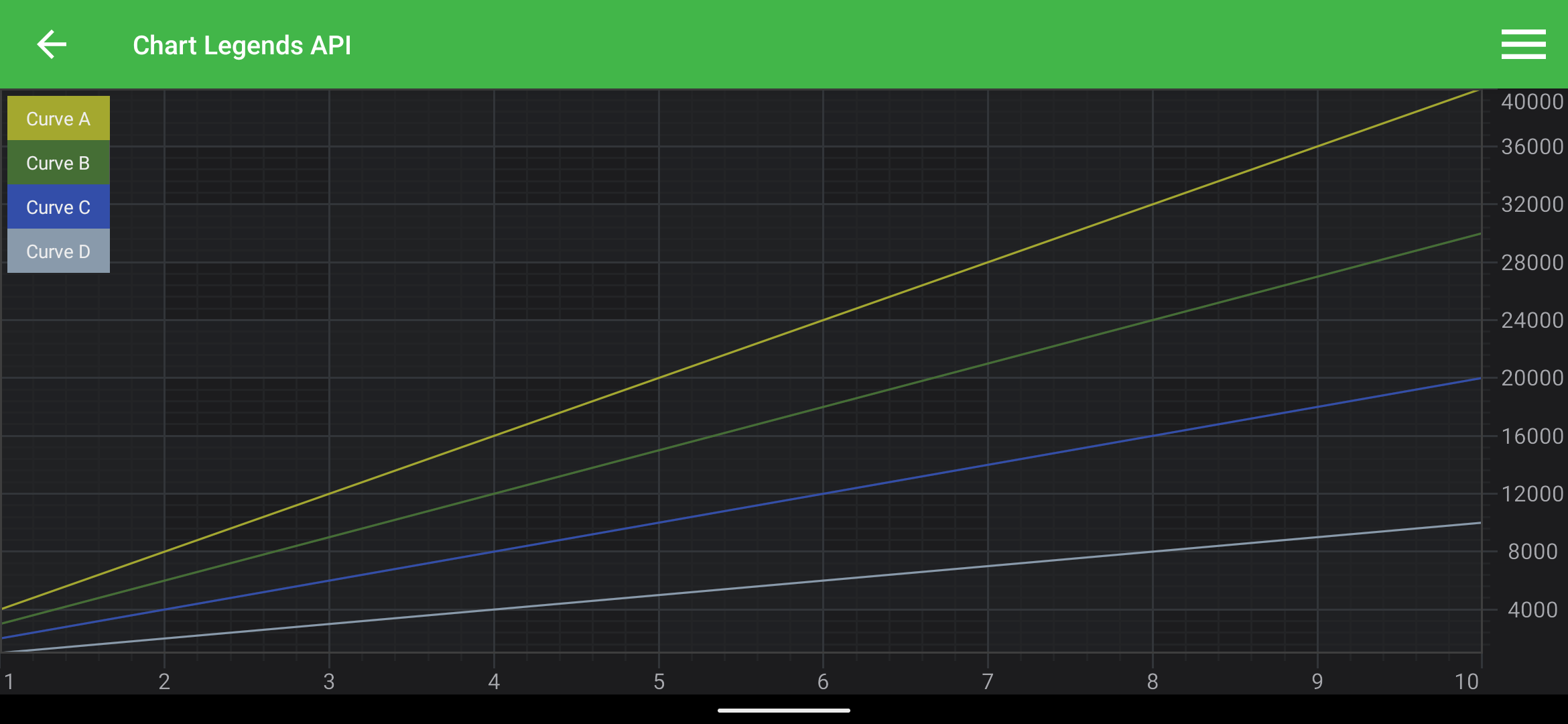
This produces the following output: